Revvio takes a car from the moment it rolls in to the invoice you hand over. Job cards, quotations, mechanic assignments and invoices, in one app on the service desk. No paper job cards. No re-typing the same details into three different books.
Running a showroom too? Book a 20-minute demo
Tablet or phone · Your data stays yours · Buy only the parts you need
Set your workshop up on this site in a couple of minutes, then download the app and sign in. Your administrator creates the staff accounts from inside it.
Most workshops are not short of work. They are short of a single place where the work lives. A customer calls to ask what they owe and somebody walks out to the workshop to find out. A quote gets given from memory and it is fifteen dollars under the list. A car goes out and nobody is sure whether it was invoiced.
Revvio puts the whole job on one screen so nobody has to remember.
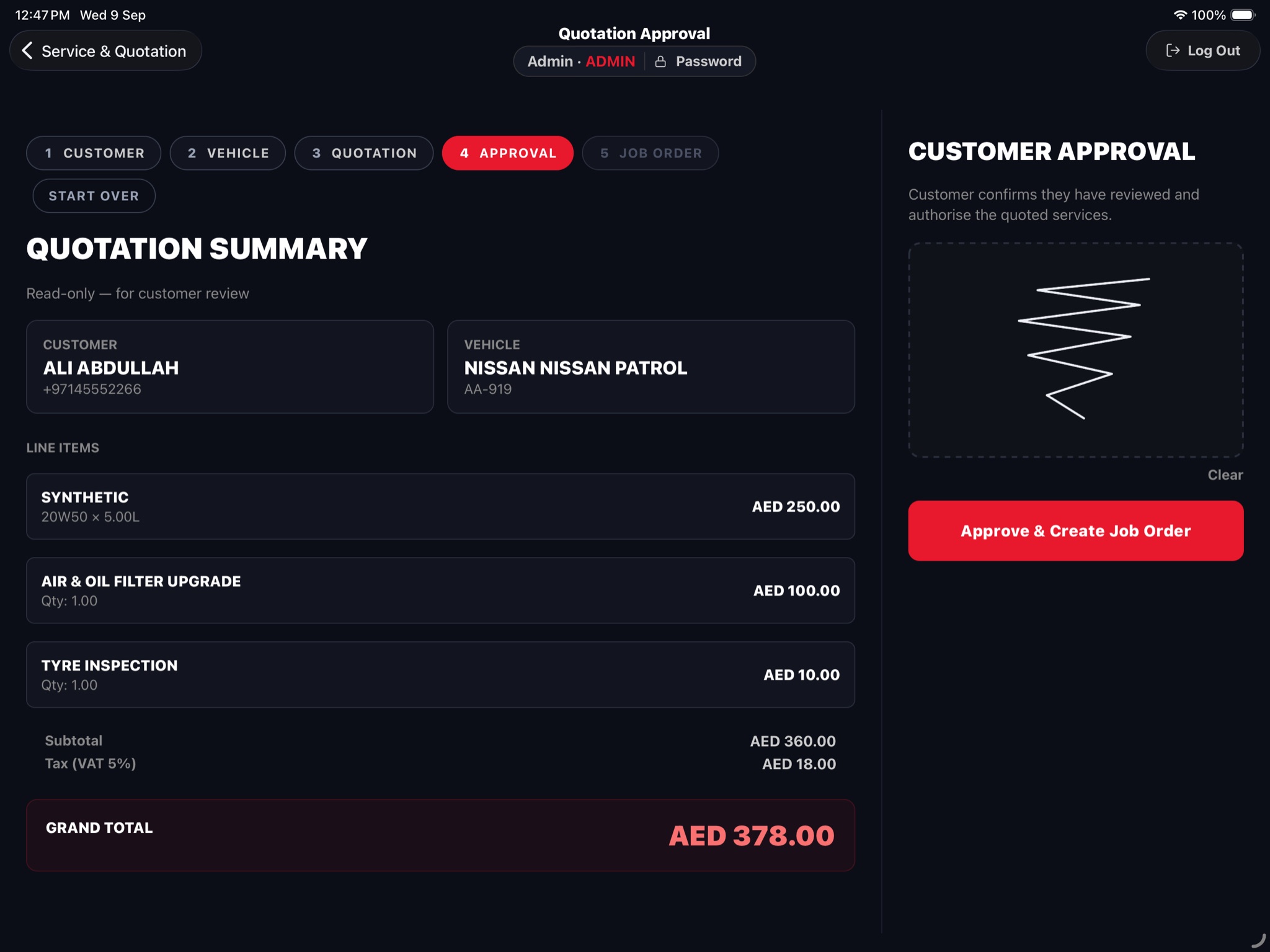
Register the customer as a person or a company, and record the vehicle: plate, make, model, year, colour, mileage. When they come back, search by name, phone number or number plate and everything comes up. One customer can have as many vehicles as they own.
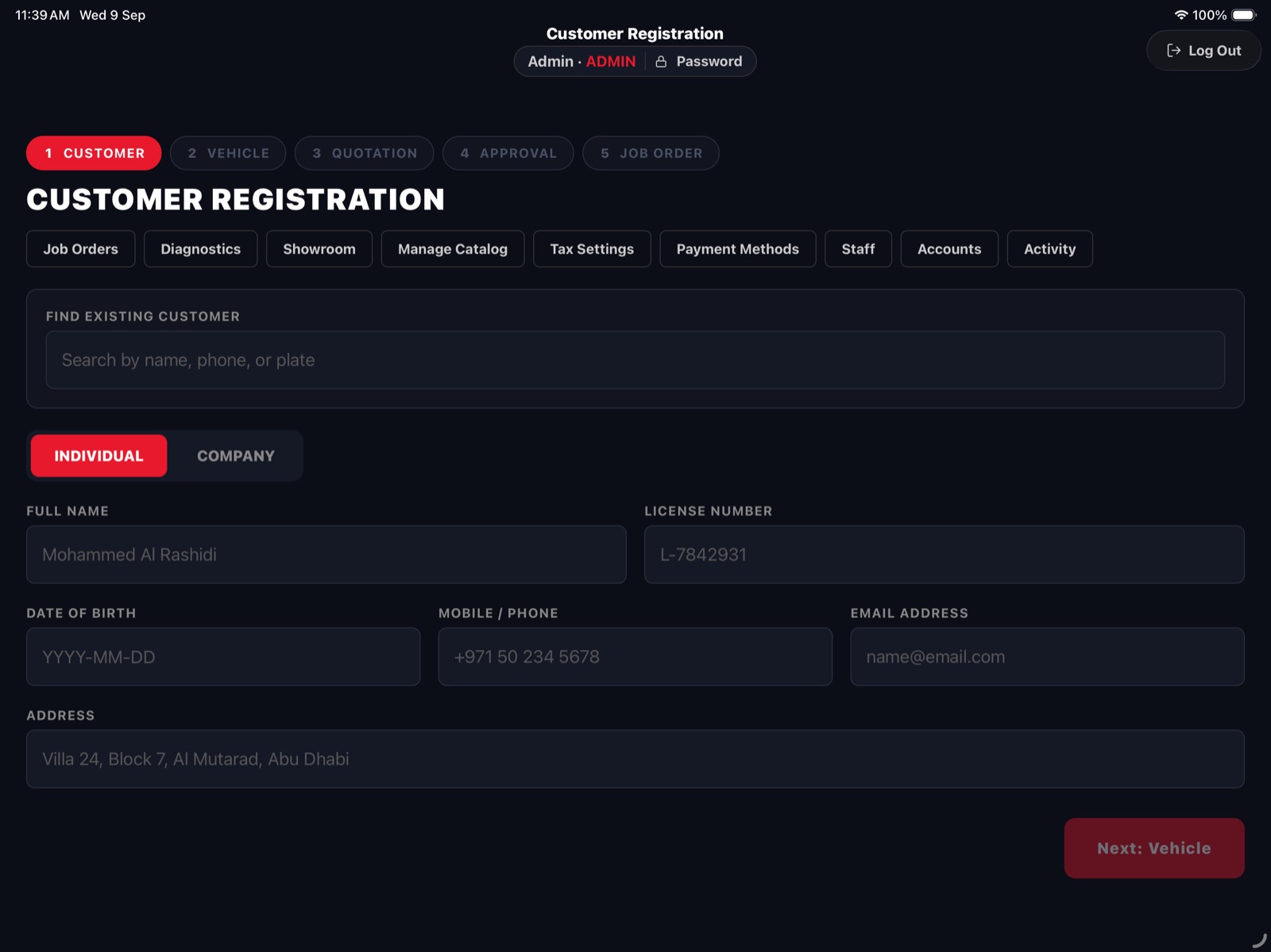
Build the quotation from your catalogue: your oil brands, your grades, your labour rates. The price comes from the list, so nobody quotes the wrong figure by accident. The total updates as you add items.
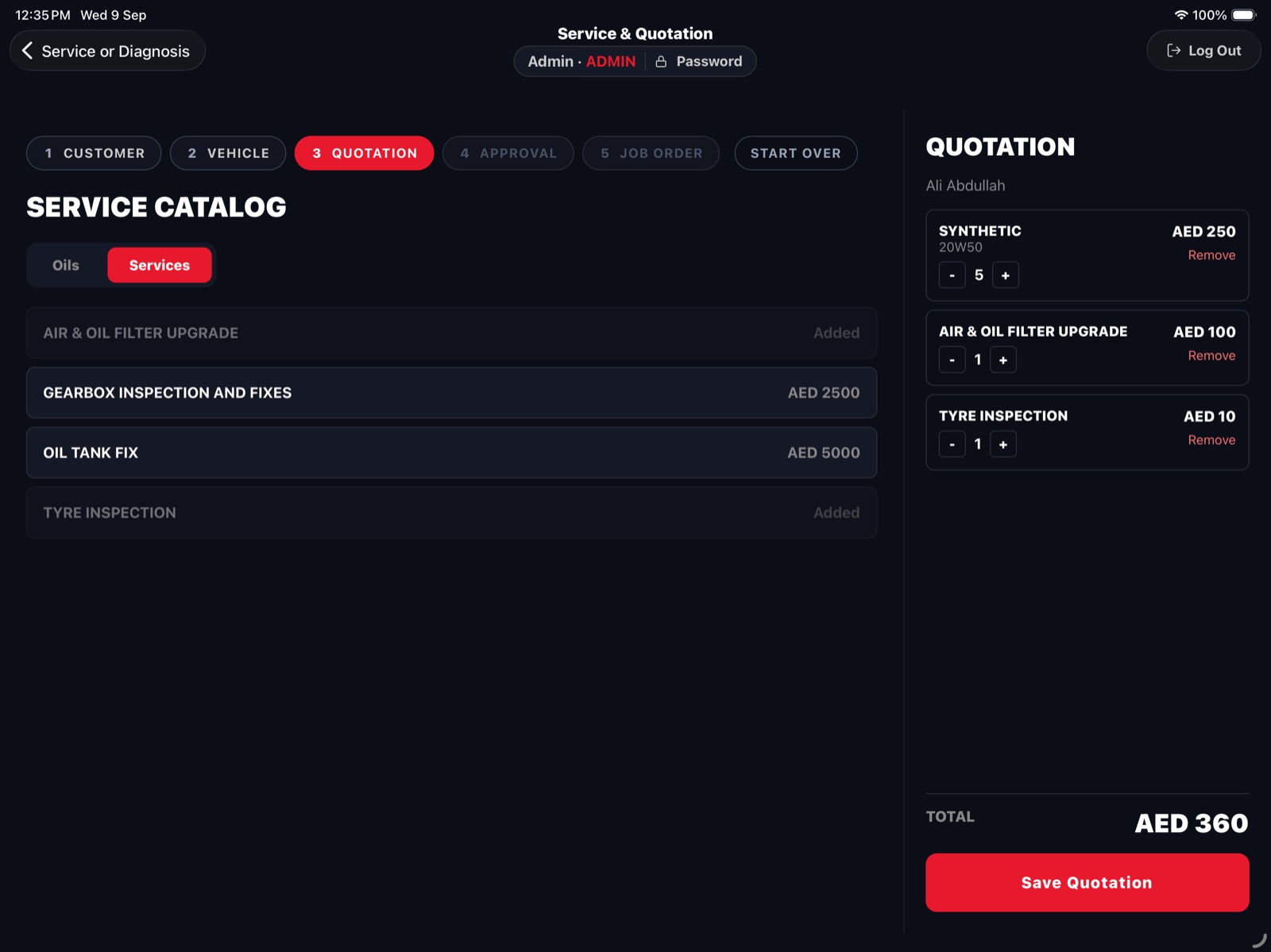
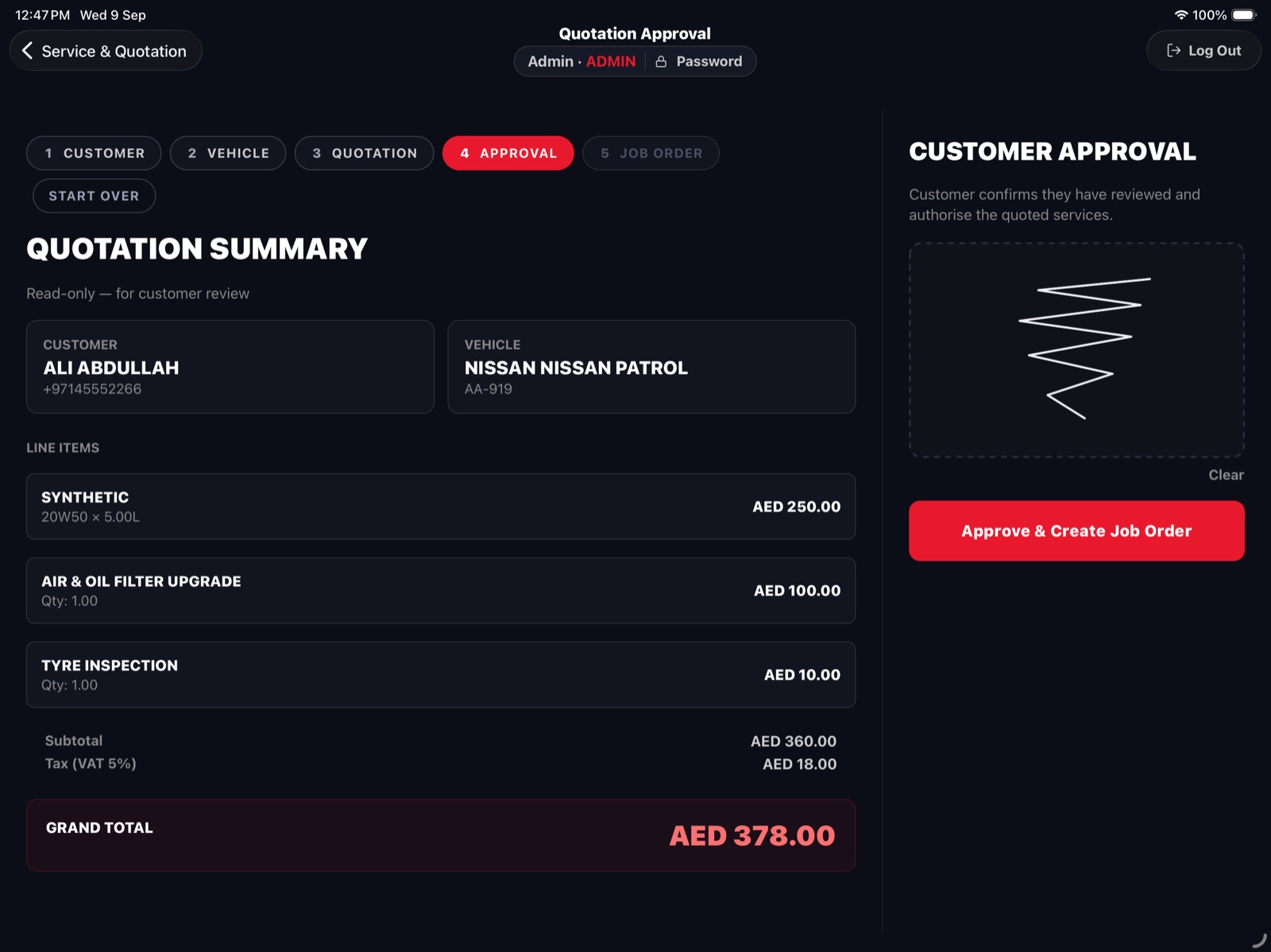
The customer sees a clean summary of the work and the cost. They sign on the screen with a finger. The signature is stored with the quotation. From there the job card is raised and assigned to a mechanic, and its checklist is written from the quotation itself — one item per line of work. Nobody re-types anything.
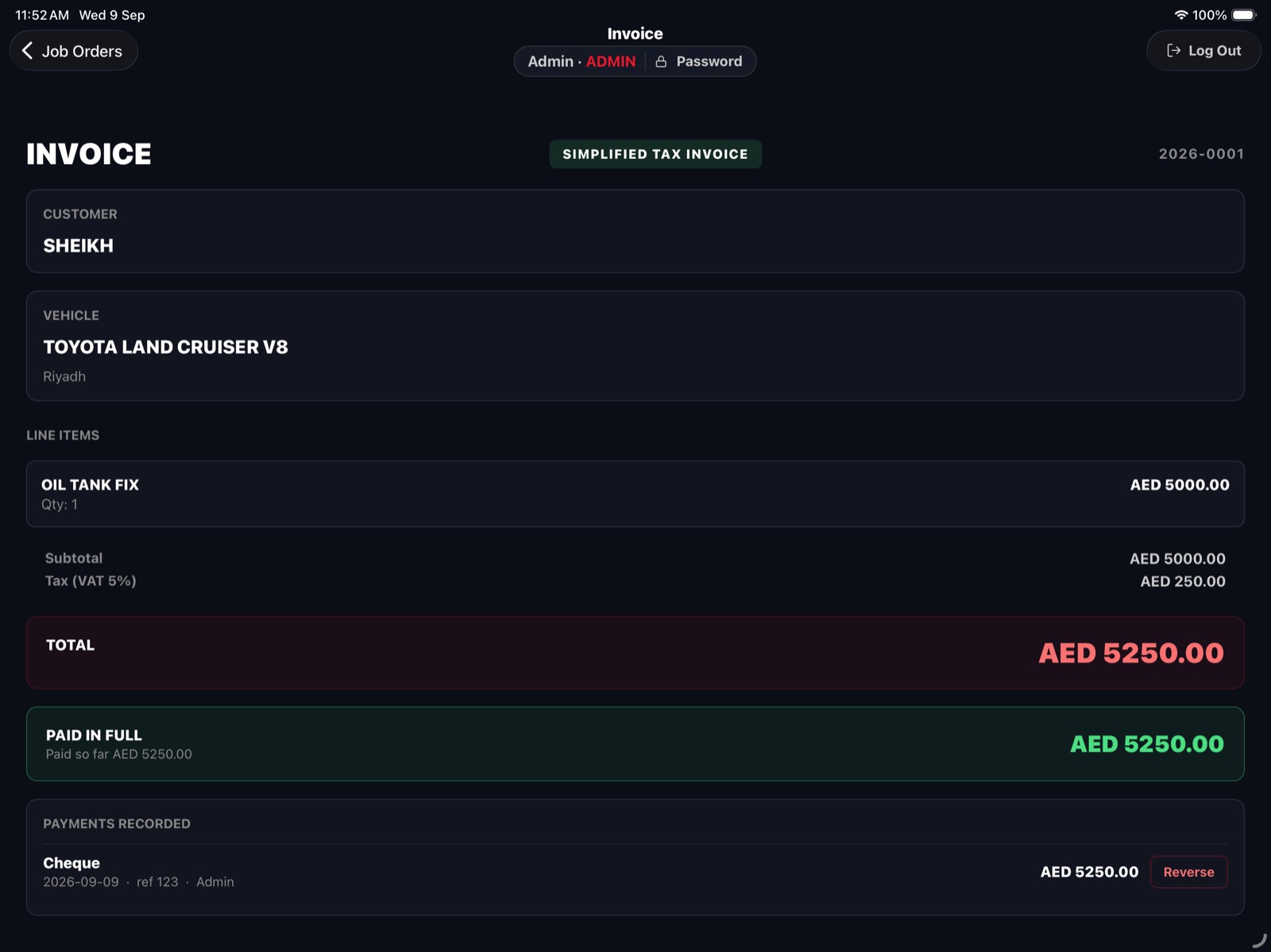
Generate the invoice from the finished job and email it to the customer, or share it as a PDF by WhatsApp, or print it. Quotations go out the same way before work starts.
Approval is where most workshops lose money and lose arguments. Revvio makes it a thirty second step at the desk. The customer reads a read-only summary of exactly what is being done and what it costs, then signs on screen with a finger. That signature is stored against the quotation, so months later the record of what was agreed is still there.
If the customer does not know what is wrong, book the car in for diagnosis instead. Assign it to a mechanic, he inspects it and writes down what he found, and those findings turn into a quotation that goes through the same approval.
A mechanic opens Revvio and sees the jobs assigned to him. He starts one, works through the checklist and marks it complete. The service desk sees the progress without walking over to ask. Completed jobs are listed in the order they were actually finished.
He cannot see revenue figures. A salesperson cannot change staff accounts. The admin sets the role and the app takes care of the rest.
Revvio sells in three parts. You only pay for what you use, and staff only see what you have bought.
The core workshop. Customers, vehicles, quotations, job cards, mechanic assignment, invoices.
For: any repair shop, however small.
Set up your workshopFor workshops that also sell cars. List vehicles with photographs taken on the tablet, tap any photo to view it full screen, and track a buyer from first enquiry to test drive to sold. Record what the car cost you, so the books show what you actually made rather than treating the whole sale as profit. When a car sells, the buyer and their new vehicle are created as a service customer automatically.
For: garages with a forecourt, used car dealers.
Book a demoPick any month and see revenue, expenses and net profit. Revenue counts workshop invoices and showroom sales, shown separately. Log expenses by category: rent, utilities, salaries, supplies, other.
For: owners who want the month's numbers without exporting anything.
Book a demo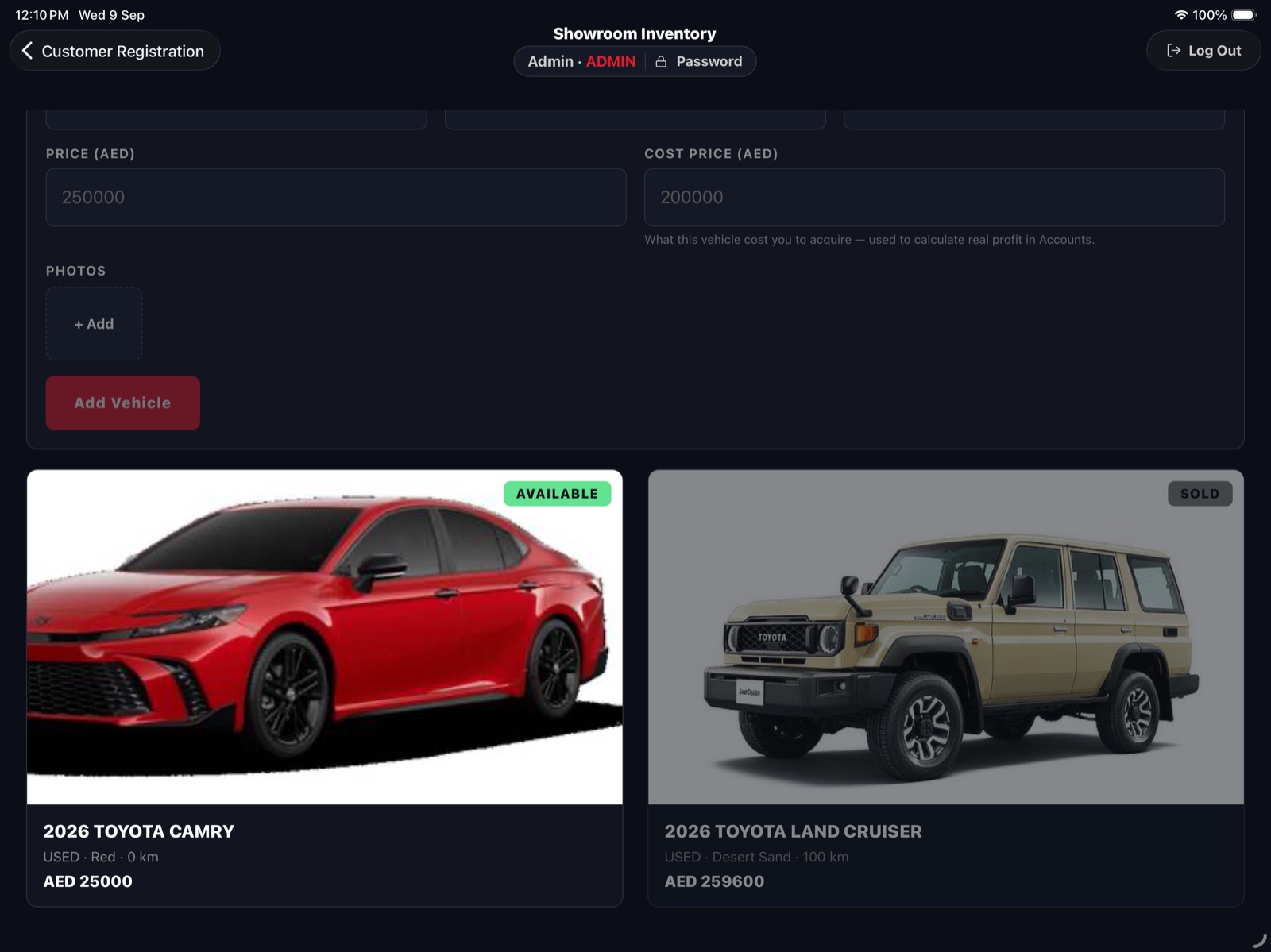
| Paper and a spreadsheet | Big shop platforms | Revvio | |
|---|---|---|---|
| Time to start using it | none | weeks of setup and training | same day — we set the workshop up, you add your price list |
| Runs on the service desk tablet | no | usually a desktop first | built for a tablet in landscape, works on a phone |
| Customer signs the estimate | on paper, then filed | sometimes | on screen, stored with the quotation |
| Your own price list | in someone's head | yes | yes, prices come from your catalogue |
| Sells cars as well as fixing them | no | rarely | Showroom module |
| Monthly profit without exporting | no | usually an add-on | Accounts module |
| Pay for parts you do not use | no | often | no, three separate modules |
Worth knowing before you download it. We would rather you find this out here than in week two.
If those are deal-breakers, Revvio is not your app yet. Tell us which one matters most and we will tell you honestly whether it is on the roadmap.
Designed for a tablet in landscape, with big touch targets and text you can read from across a service desk. It runs on a phone too, so the owner can check the day's jobs without walking back to the desk.
Big touch targets, readable from across the desk, and a phone layout for the owner.
Each workshop's data is completely separate. One workshop can never see another's customers, prices or figures.
Passwords are stored scrambled, never in readable form. Everything sent between the device and the server is encrypted.
The admin creates accounts, sets the role, resets a password for anyone who forgets, and deactivates someone who leaves.
Yes. Revvio is on the App Store and Google Play. It is designed for a tablet in landscape at the service desk, and it runs on a phone as well.
Yes. The customer sees a read-only summary of the work and the cost and signs on screen with a finger. The signature is stored with the quotation.
No. Revvio comes in three parts: Service, Showroom and Accounts. Most workshops start with Service alone.
No. Revvio does not track inventory levels. It handles customers, jobs, quotations, invoices, and the money side.
No. There is no accounting software integration. The Accounts module gives you revenue, expenses and net profit for any month inside Revvio.
Not yet. Each workshop's data is completely separate and there is no group-level dashboard across branches.
Yes — set your workshop up on this website, confirm your email, then download the app and sign in. Account creation happens on the website rather than inside the app, so the app itself has no sign-up screen. Once you are in, your own administrator creates the staff accounts.
Pricing depends on which of the three modules you take. Tell us the size of your shop and we will send the figure.
There is no installation and no server to set up. We create your workshop, your administrator adds your price list and your staff, and you can book the first car in the same day.
We will walk you through Revvio on your own numbers: your workload, your price list, the way you invoice now. If Service alone is all you need, we will tell you that and set you up with nothing else.
Two cars at a time or twenty, showroom or not — book twenty minutes and we will walk you through it on your own numbers: your workload, your price list, the way you invoice now.
